






Latest Version
Wangxu Technology Co., Ltd
Design
Mac
Free
1609584814
Report a Problem
More About PicWish: AI Photo Editor
Streamline Your Workflow with PicWish: AI Photo Editor
Imagine you have dozens of product photos ready for your e-commerce storefront, but the backgrounds are cluttered, uneven, and distracting. Manually cutting out each item would take hours of tedious precision work. This is where PicWish: AI Photo Editor steps in to transform your workflow. Developed by Wangxu Technology Co., Ltd, this Mac-based design application leverages smart automation to handle complex image editing tasks in seconds, letting you focus on growing your business.
Key Features of PicWish: AI Photo Editor
Whether you are a professional designer or a small business owner, the application offers a robust suite of tools tailored for rapid, high-quality asset creation:
- Automatic Background Removal: Instantly isolate your subject and replace distracting backdrops with clean, solid colors or custom templates.
- Intelligent Object Erasing: Effortlessly remove unwanted elements, text overlays, folds, and smudges from your photos without leaving artifacts.
- Batch Processing Power: Save time by editing up to 30 images simultaneously, applying background removals or enhancements in a single click.
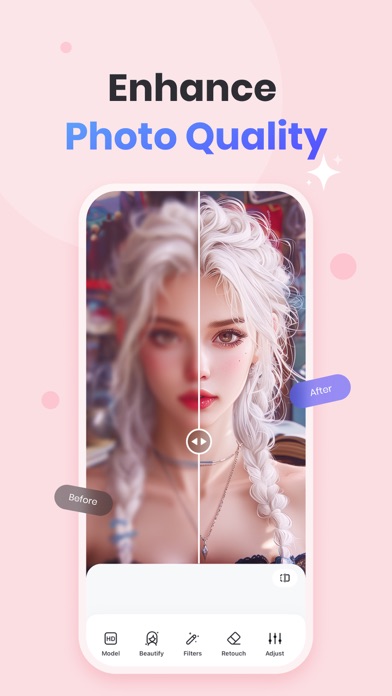
- Image Clarification & Enhancement: Instantly unblur multiple photos, colorize vintage black-and-white shots, and adjust overall image lighting.
- Official Document Templates: Quickly format ID photos to standard dimensions, such as 2x2, while adjusting background colors automatically.
Who Can Benefit Most from This Tool?
As a specialized design application on macOS, PicWish: AI Photo Editor is engineered to serve diverse user profiles. E-commerce resellers and small business owners can generate clean, commercial-ready product listings with minimal overhead. Graphic designers can automate repetitive clipping paths and basic cleanup tasks, while casual users can quickly format official ID photos or create personalized AI portraits without needing advanced design skills.
Enhancing Creative Workflows on macOS
The desktop experience on Mac ensures smooth performance even when handling large batches of files. With its intuitive interface, PicWish: AI Photo Editor removes the steep learning curve typically associated with professional design software. If you are looking to elevate your visual content, simplify batch editing, and generate polished graphics with minimal effort, explore the capabilities of this application on the official Mac App Store.
Rate the App
User Reviews















Popular Apps










Editor's Choice